pfSense Setup
Allow Hostnames and Configure Log Settings
This section explains how to allow specific hostnames in Captive Portal and configure both local and remote logging options for WiZone.
Step 1 – Allow Hostnames (Captive Portal Whitelist)
After configuring the Captive Portal Zone, you can optionally allow specific hostnames and set up system logging to monitor authentication and network events.
- Go to Services → Captive Portal → Zone Name → Allowed Hostnames.
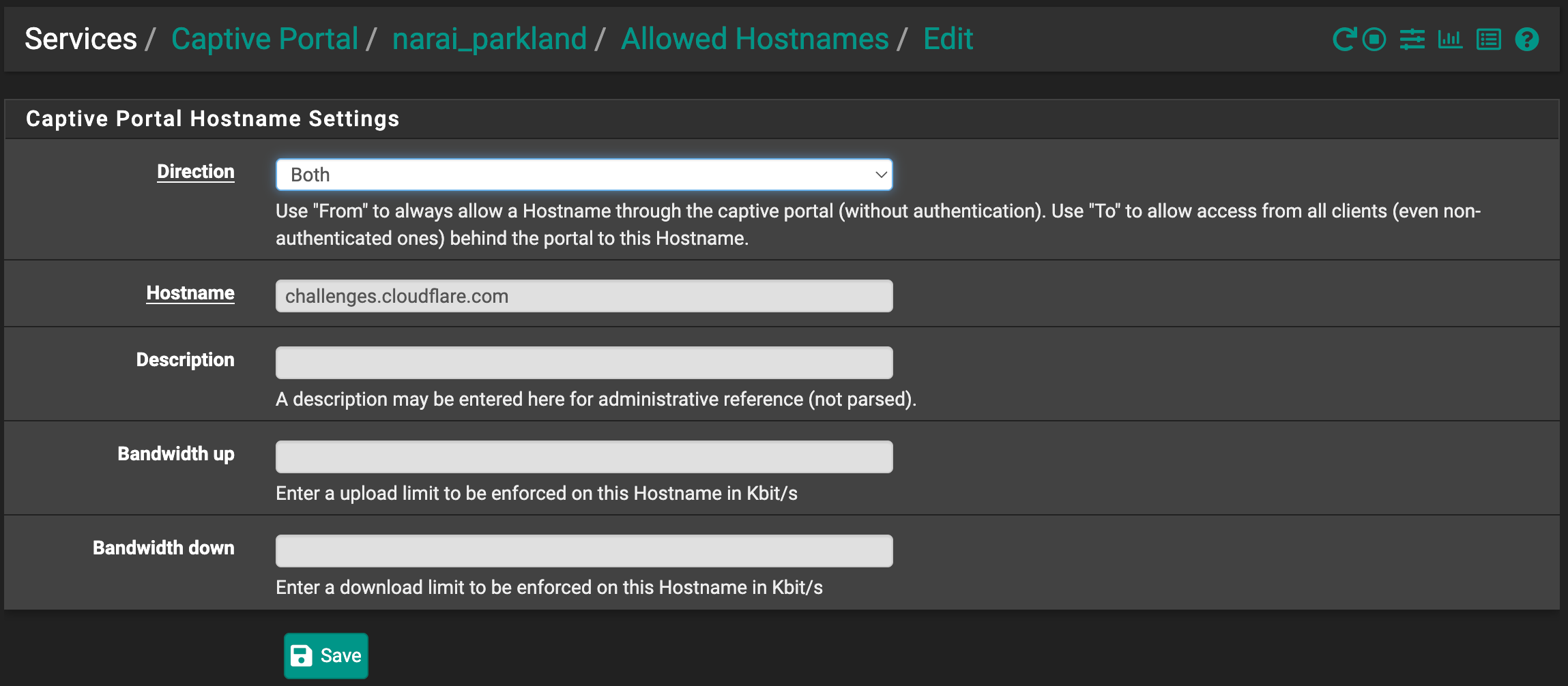
- Add the required hostnames using the following fields:
| Field | Example / Value | Description |
|---|---|---|
| Direction | Both | Allow both inbound and outbound connections |
| Hostname | dev.wizone.io | Host accessible through the captive portal |
| Description | (optional) | Administrative reference only |
| Bandwidth Up/Down | (optional) | Set limits in Kbit/s if required |
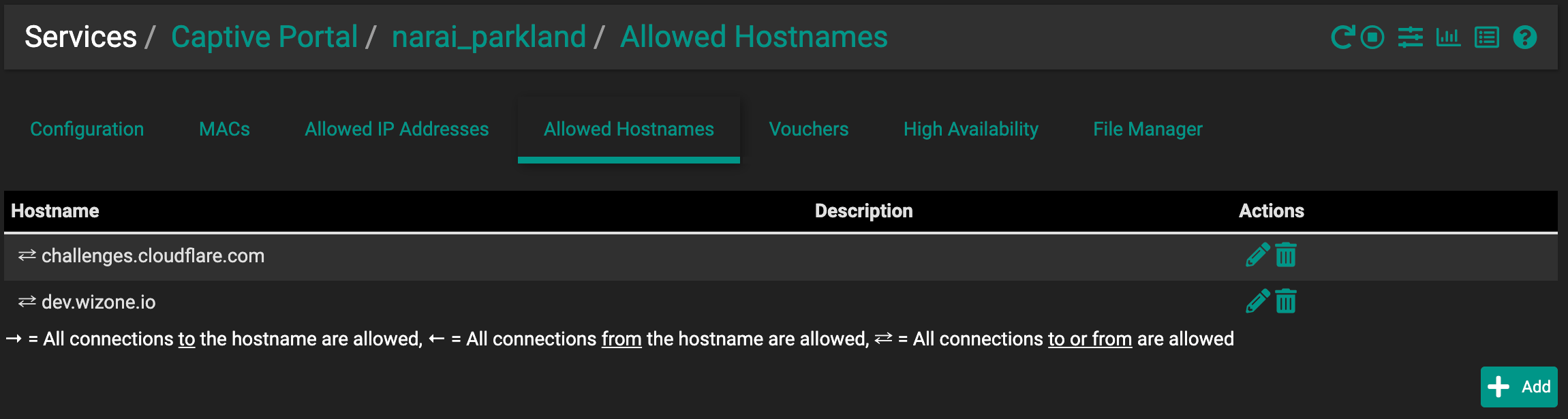
Important:
Add critical domains like:
challenges.cloudflare.com→ Required for Cloudflare SSL certificate validationdev.wizone.io→ Your captive portal HTTPS domain
Step 2 – Configure General Logging Options
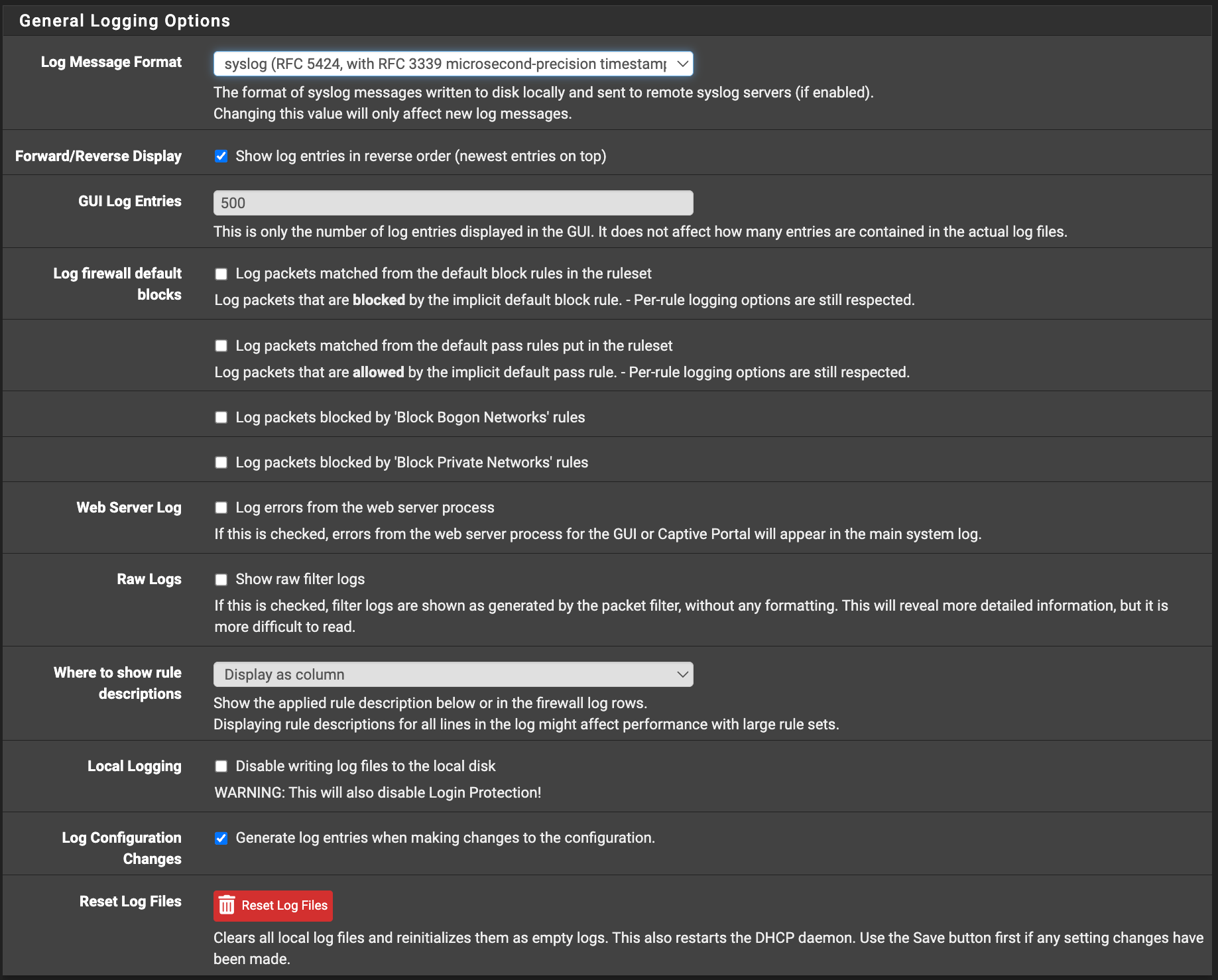
- Go to Status → System Logs → Settings.
- Configure as follows:
| Field | Setting | Description |
|---|---|---|
| Log Message Format | syslog (RFC 5424) | Standardized syslog timestamp format |
| GUI Log Entries | 500 | Number of logs displayed in GUI |
| Forward/Reverse Display | (check the box) | Show newest entries on top |
| Web Server Log | (check the box) | Log web server errors (includes captive portal) |
| Raw Logs | (check the box) | View unformatted log data |
| Generate Log Changes | (check the box) | Log configuration changes automatically |
| Reset Log Files | Reset | Clears existing logs if required |
Step 3 – Configure Remote Logging Options
| Field | Example / Value | Description |
|---|---|---|
| Enable Remote Logging | (check the box) | Send logs to a remote syslog server |
| Source Address | Default (any) | Bind to any IP type (IPv4/IPv6) |
| IP Protocol | IPv4 | Select protocol used for syslog communication |
| Remote Log Server | 10.1.10.8:5140 | IP and port of remote syslog receiver |
| Remote Syslog Contents | Firewall, DHCP, Captive Portal, VPN | Select which logs to send remotely |
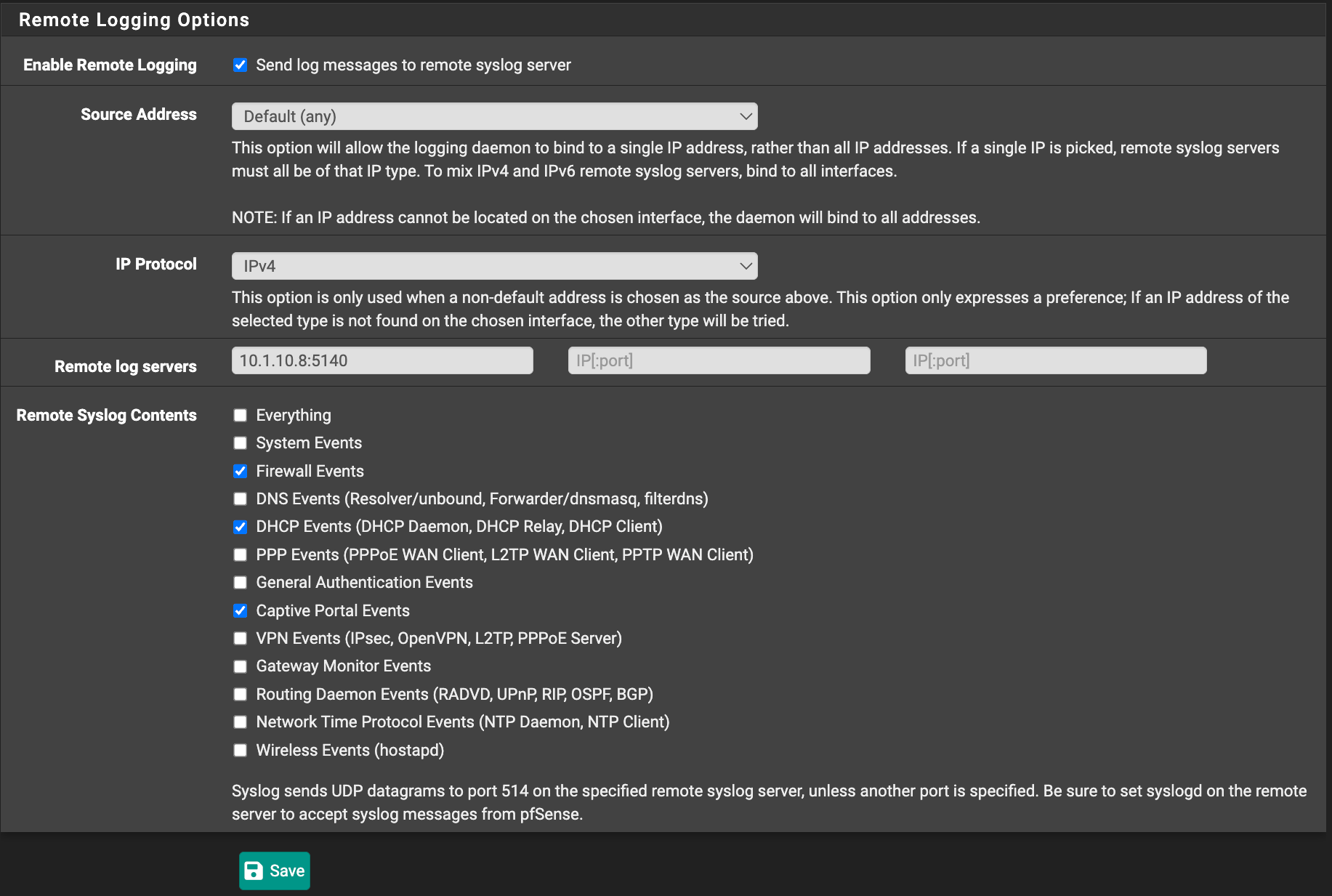
Tip : Captive Portal logs can be forwarded to your centralized WiZone monitoring server for better visibility and auditing.