WiZone Dashboard Overview
Dashboard Summary Cards
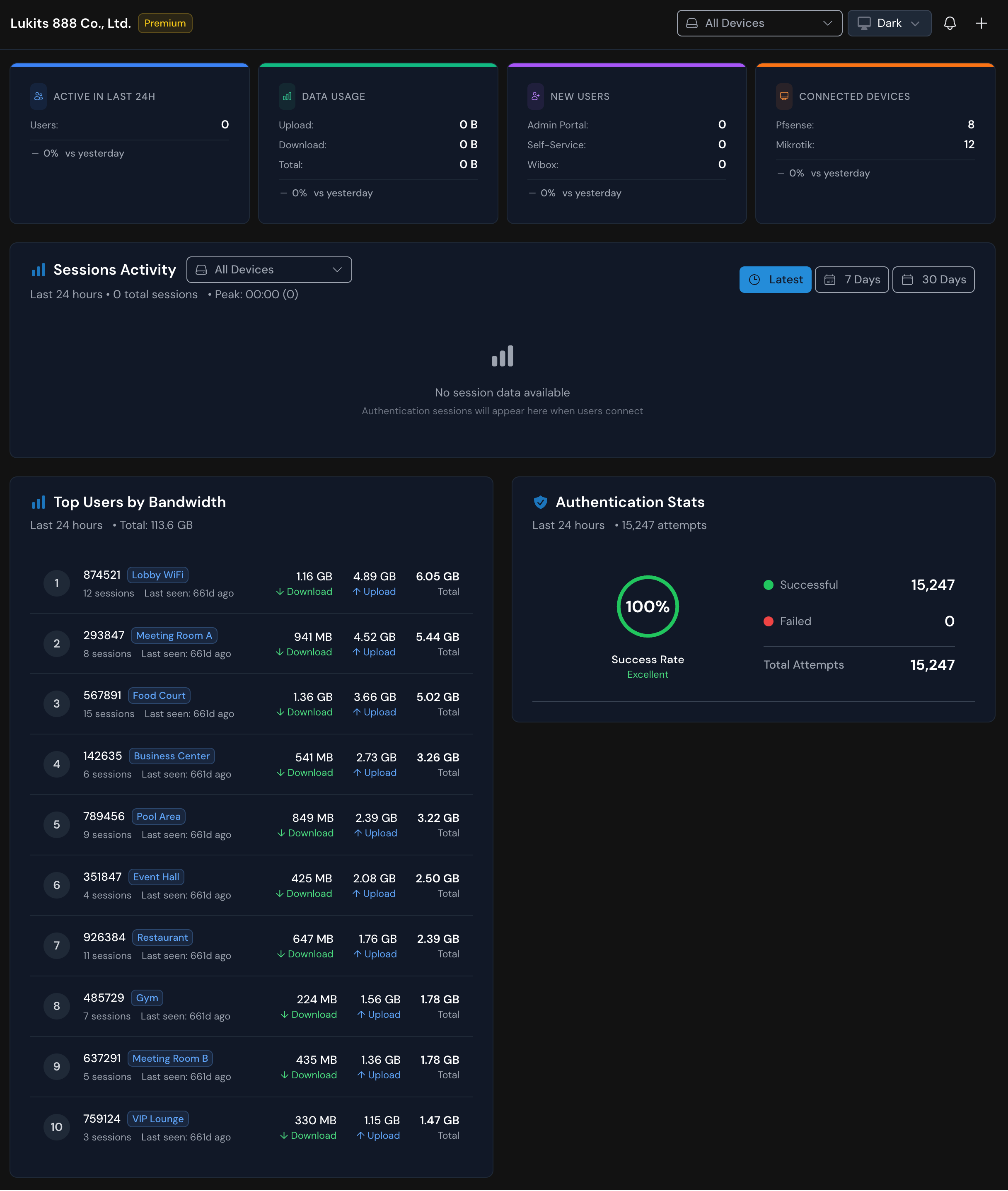
The top section displays four key status cards representing high-level metrics from your WiZone deployment.

| Card | Description |
|---|---|
| Active in Last 24H | Shows the number of users who connected to Wi-Fi or authenticated within the past 24 hours compared to yesterday’s performance. |
| Data Usage | Displays total upload, download, and data usage for all users across all devices. |
| New Users | Tracks new users registered within the last 24 hours. |
| Connected Devices | Shows total number of devices connected. |
Sessions Activity
This section visualizes the number of authentication sessions and their time distribution.
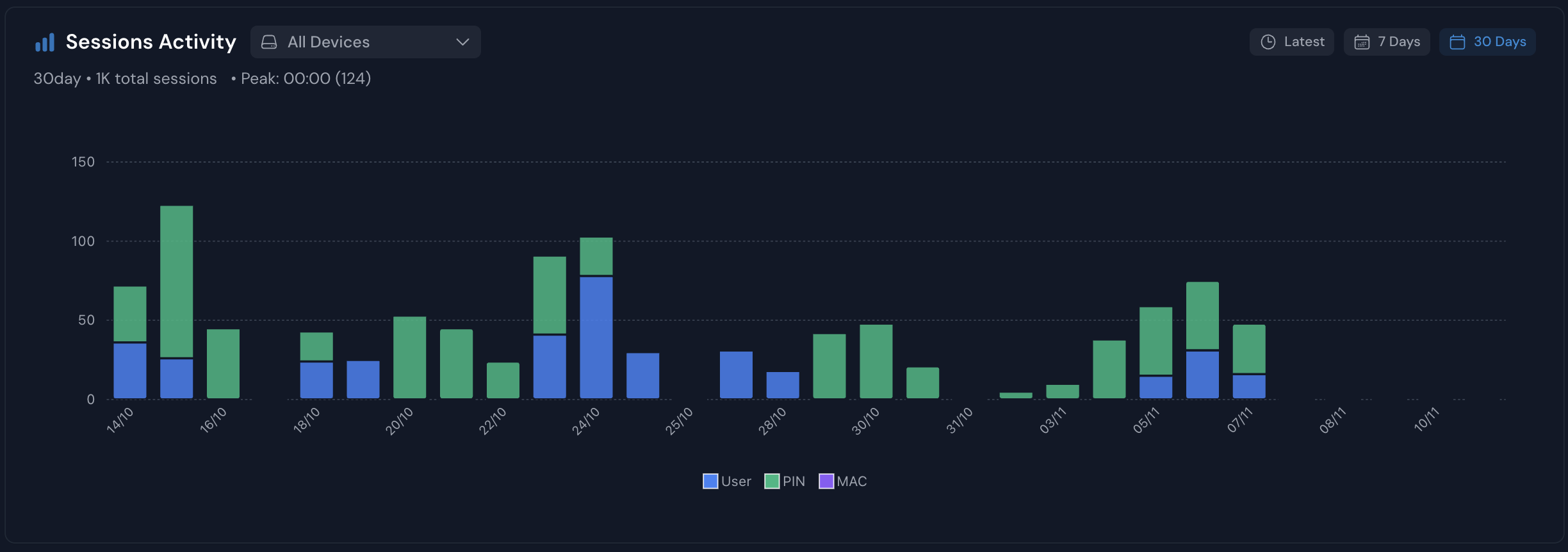
- Displays connection peaks, session counts, and activity patterns over selectable time periods (Latest, 7 Days, 30 Days).
- Useful for observing connection frequency, peak hours, or downtime periods.
No session data available indicates there are currently no authenticated sessions being reported to the WiZone server.
Top Users by Bandwidth
This table highlights the users or devices consuming the most bandwidth.
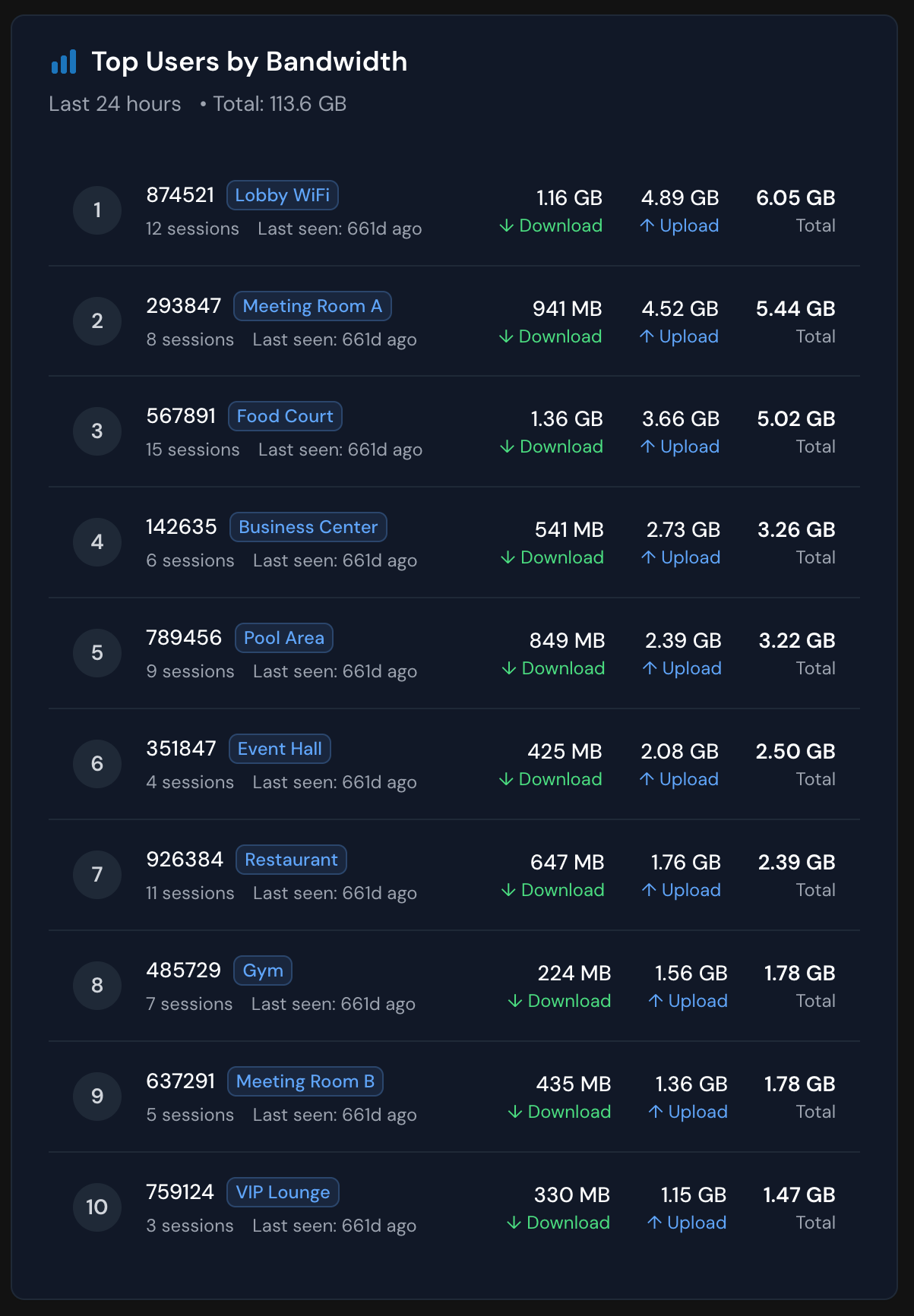
- Shows total upload/download volume for the last 24 hours.
- Helps identify top consumers or possible misconfigurations.
- Data updates automatically as users access the network.
Authentication Stats
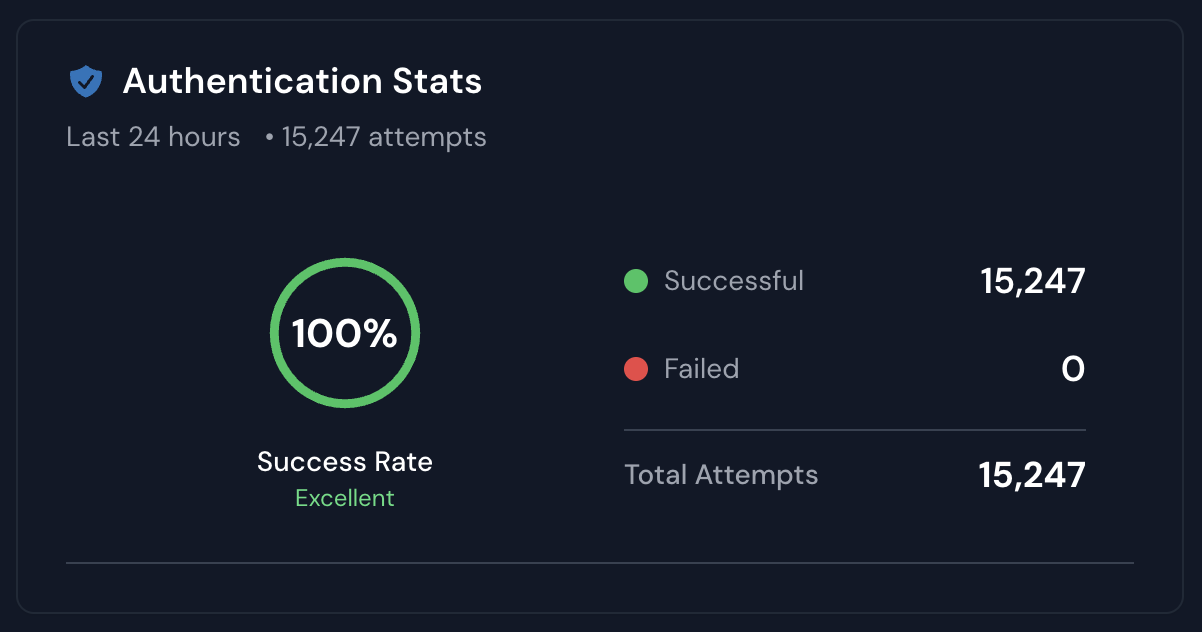
Displays overall login success rates and authentication attempts from all connected systems.
| Metric | Meaning |
|---|---|
| Success Rate | Percentage of successfully authenticated users within the selected time period. |
| Successful / Failed | Total count of login attempts with pass/fail outcomes. |
| Total Attempts | Sum of all authentication requests received by the WiZone RADIUS or Captive Portal. |
Successful: Users authenticated correctly through RADIUS or portal.
Failed: Login attempts rejected due to incorrect credentials or configuration errors.
Key Insights for Admins
- Use Active Users and Data Usage to assess daily performance load.
- New Users helps track growth or user acquisition through portals.
- Session Activity helps verify uptime and connection stability.
- Top Bandwidth Users assists in managing fair usage policies.
- Authentication Stats provide real-time visibility into login issues or RADIUS server connectivity.
Dashboard
WiZone Overview
WiZone Platform is an integrated authentication and management framework that bridges local Wi-Fi access systems with centralized cloud-based services. It is built to support secure access, user verification, real-time logging, and analytics across heterogeneous network environments such as Cisco,Mikrotik, Zyxel, Fortinet, and pfSense.
User Management
Overview of the Users page in the WiZone dashboard, including account details, authentication types, and management options.