WiZone Portal
Audit Logs & User History
WiZone keeps a complete record of system activities to help administrators track actions, user events, and security logs efficiently.
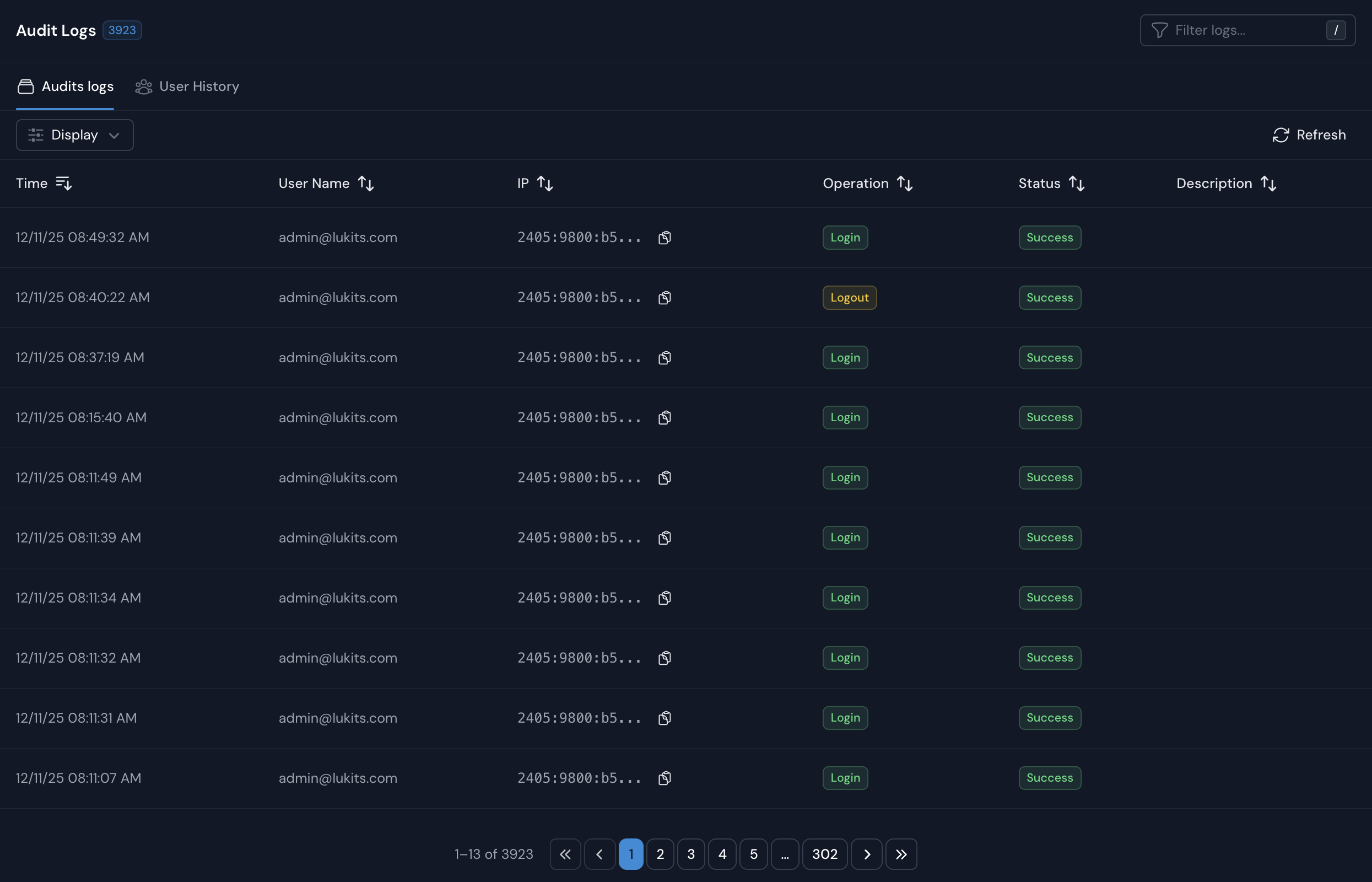
Audit Logs
The Audit Logs section provides detailed tracking of administrative actions within the WiZone dashboard.
| Field | Description |
|---|---|
| Time | Shows the exact timestamp when an action occurred. |
| User Name | Identifies the admin or system user who performed the action. |
| IP | Displays the IP address used to access the dashboard. |
| Operation | Indicates the performed action (e.g., Login, Logout). |
| Status | Displays the outcome of the operation (Success, Failed). |
| Description | Provides additional details related to the activity. |
Use this section to:
- Monitor admin logins and logouts.
- Detect unusual access patterns or failed attempts.
- Verify system actions across different users.
User History
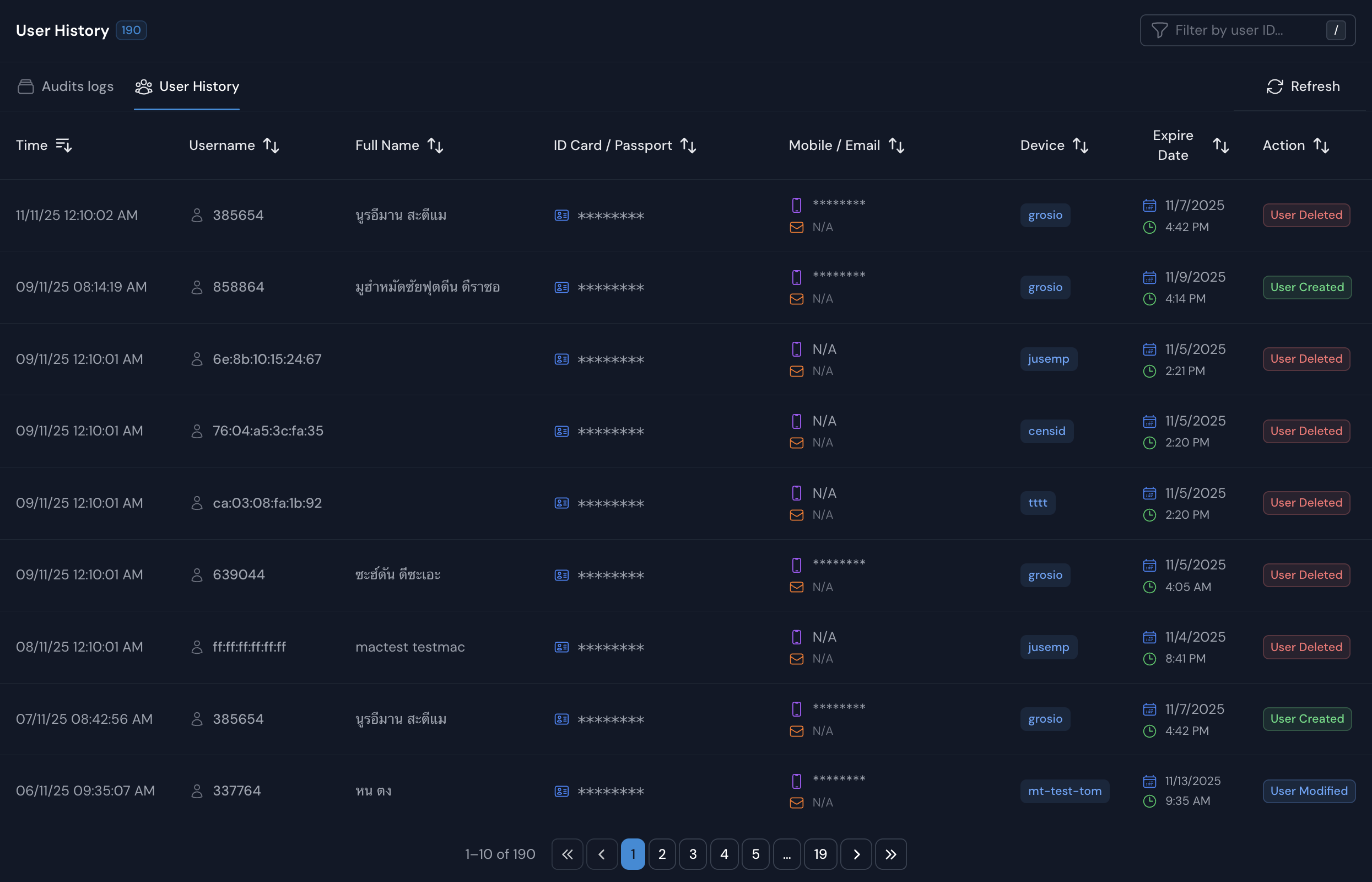
The User History tab records the life cycle of end-user accounts created through NAS or hotspot systems.
| Field | Description |
|---|---|
| Time | Date and time of the recorded user event. |
| Username | The user’s login name or assigned identifier. |
| Full Name / ID | Displays user’s full name and partial ID or passport number. |
| Mobile / Email | Shows the user’s registered contact information. |
| NAS | Indicates which NAS the user was registered under. |
| Expire Date | Displays when the account will expire. |
| Action | Describes the event (e.g., User Created, User Deleted). |
Click on a User ID to view more details, including NAS registration, session data, and expiration settings.
Firewall Logs
The Firewall Logs page provides detailed visibility into log files collected from connected NAS (Network Access Servers), including pfSense and Mikrotik devices. It helps administrators monitor security events, and download archived logs.
Settings
Settings page allows administrators to configure company information, default network behavior, and account policies for all connected devices and users.