Mikrotik Setup
Routing & Firewall
Add static routes for RADIUS and VPN networks, and configure firewall rules for WireGuard and RADIUS CoA.
Step 1 – Add Static Routes
Go to IP → Routes → Add (+) and configure:
| Field | Value |
|---|---|
| Dst. Address | 10.1.10.0/24 |
| Gateway | wizone-wg |
Click Apply → OK.
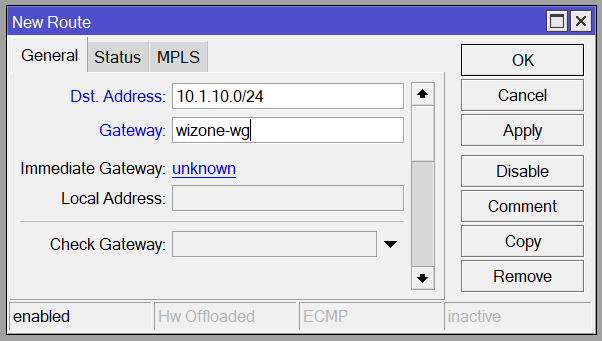
(Optional) Add a second route with
Dst. Address = 10.1.200.0/24 and the same Gateway — allows the WiZone support team to remotely access your device for troubleshooting.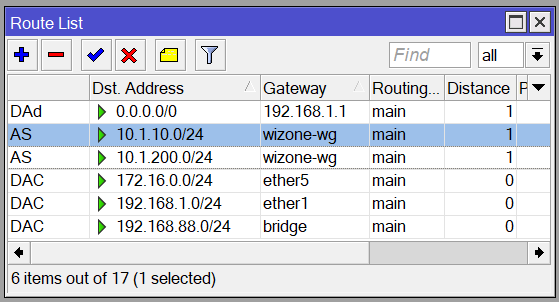
Step 2 – Add Firewall Rule for WireGuard
Go to IP → Firewall → Filter Rules tab → Add (+) and configure:
| Tab | Field | Value |
|---|---|---|
| General | Chain | input |
| General | In. Interface | wizone-wg |
| Action | Action | accept |
| Comment | WiZone WG Allow |
Click Apply → OK.
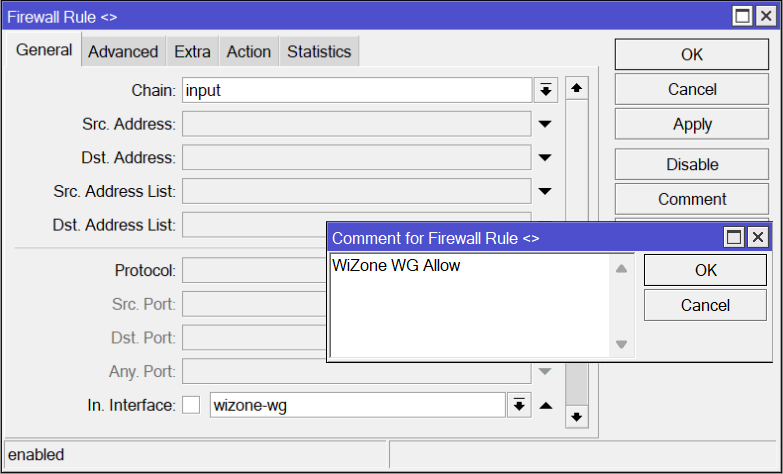
Drag this rule above any existing drop/reject rules in the filter chain.
Step 3 – Add Firewall Rule for RADIUS CoA
Click Add (+) again and configure:
| Tab | Field | Value |
|---|---|---|
| General | Chain | input |
| General | Protocol | udp |
| General | Dst. Port | 3799 |
| Action | Action | accept |
| Comment | WiZone RADIUS CoA |
Click Apply → OK.
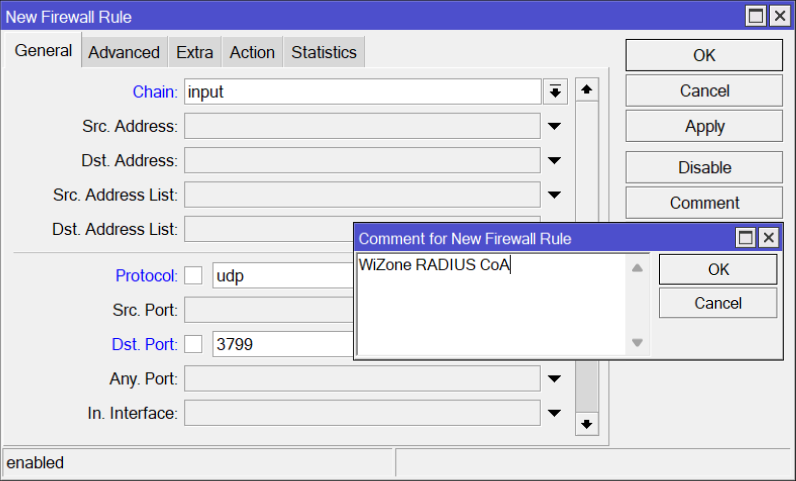
What is CoA? Change of Authorization lets WiZone Portal instantly disconnect a user session — for example when an admin kicks a user or a session expires. This rule must be at the top of the filter list so it is always reachable.